
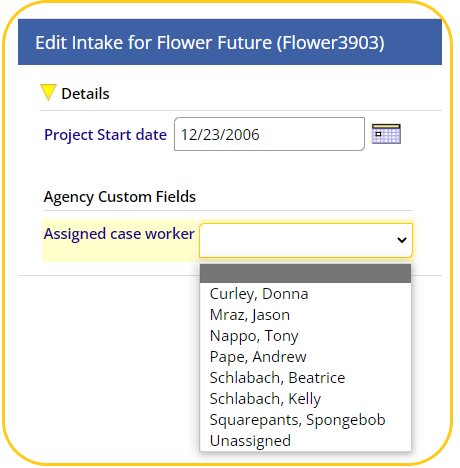
For organizations that have opted in, there is a new field available on the Intakes / Exits screen called Assigned Case Worker.
Jump to: VESTA Key Contact Maintenance of Assigned Case Worker Field
End-User Selection of Assigned Case Worker
This field allows users to indicate who a client's case manager is, regardless of who completed the project Intake.

To select an Assigned Case Worker, users will click the FILTER FIELDS link to the right, and on the next screen select the Assigned Case Worker from the drop-down.
VESTA Key Contact Maintenance of Assigned Case Worker Field
The Assigned Case Worker field has been pre-filled with all end-users in your organization, however, maintenance of the Assigned Case Worker field is the responsibility of the VESTA Key Contact. Each organization has one Assigned Case Worker list which includes all Case Managers at your organization, the list is not by-project.
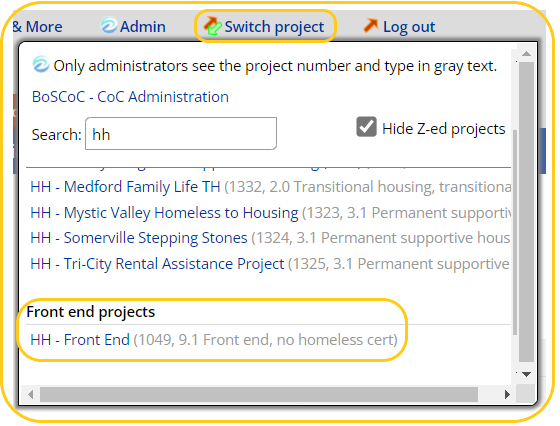
- To remove case managers from the list or add new ones, navigate to your organization's Front End by selecting Switch Project:
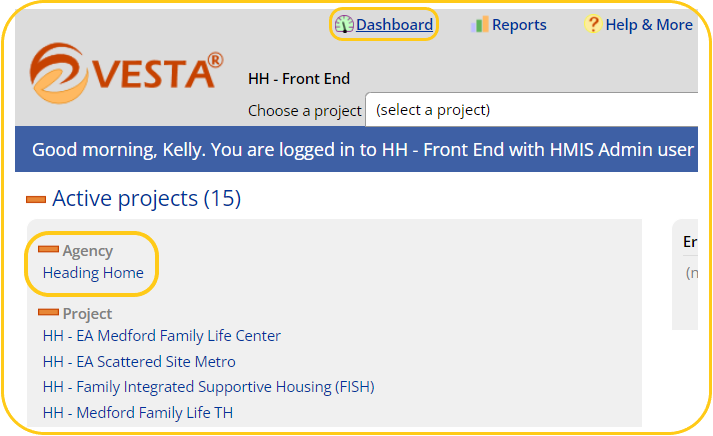
- Once within your Agency's Front End, select the name of your Agency; if your screen does not look like the screenshot below, click Dashboard at the upper left of the screen:
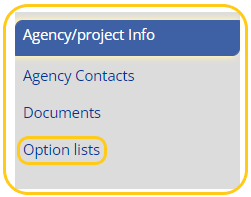
- From the menu on the left, select Option Lists:
- On the Manage my Option Lists screen you may expand the list by clicking the + to the right, and you may edit that list by clicking >Edit to the left.

- A popup screen will allow you to edit or delete existing caseworker names, or add a new name to the list. 'Unassigned' should always be an option on the list, for use with new clients who have not yet been assigned a case manager, or for those whose case manager is no longer with the organization.
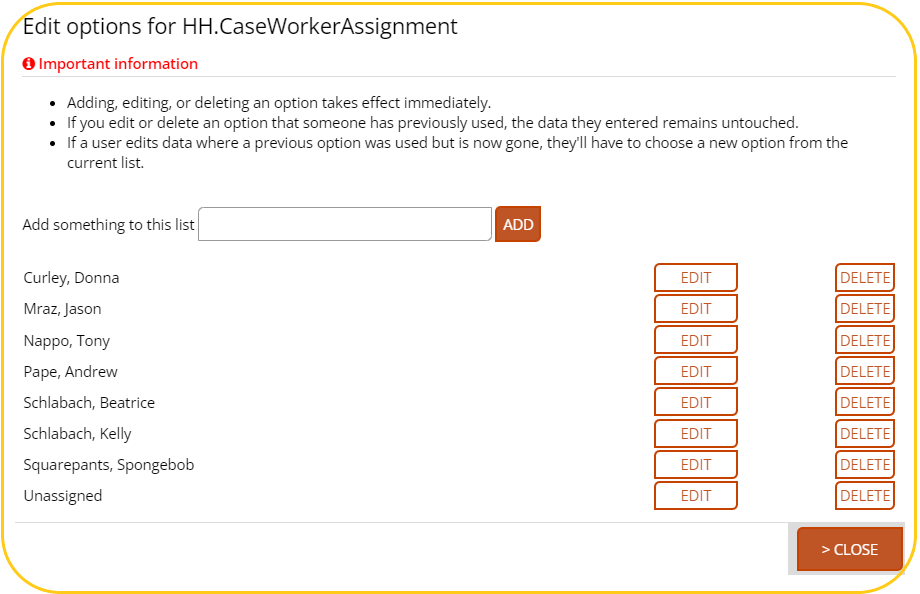
- When done editing, click >CLOSE, and your updates will go live.