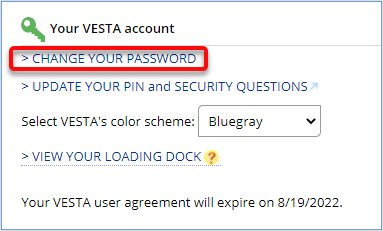
While logged in to your VESTA Account, you can access links to update your password, PIN, and security questions on the Help & More page.
I know my password, but I would like to change it.
I know my PIN, but I would like to change it.
I would like to change the security questions asked or their answers.
I know my password, but I would like to change it.
- Log-in to VESTA.
- Click on the Help & More tab at the top of the screen.

- In the center of the page, find the section named Your VESTA Account and click >CHANGE YOUR PASSWORD.
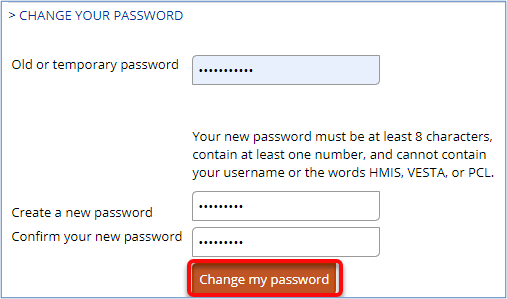
- Enter your old password.
- Create a new password. Passwords must be at least 8 characters, including at least one number. The new password cannot contain your username or the words VESTA, HMIS, or PCL. After you have entered your old password and new password twice, click Change my password.
I know my PIN, but I would like to change it.
- Log-in to VESTA.
- Click on the Help & More tab at the top of the screen.
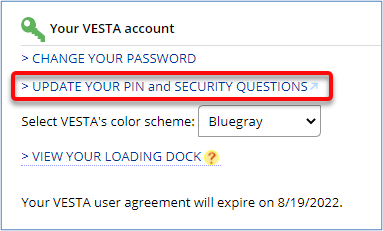
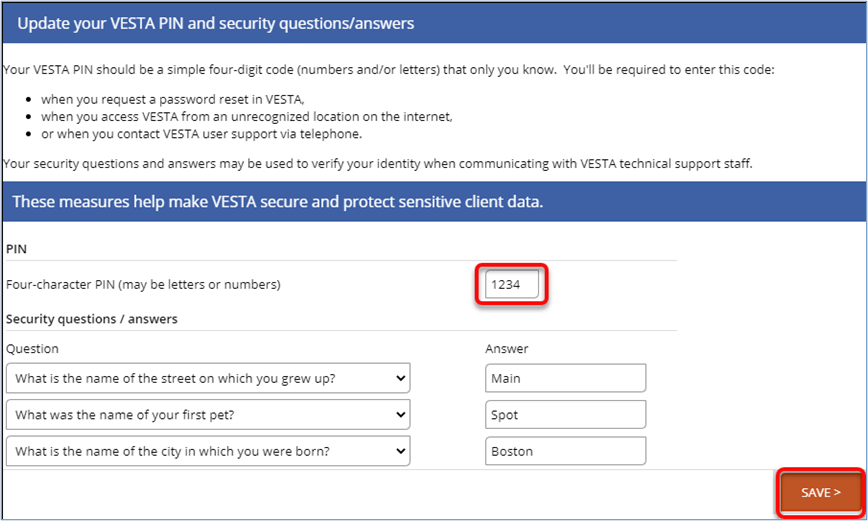
- In the center of the page, find the section named Your VESTA Account and click >UPDATE YOUR PIN and SECURITY QUESTIONS.
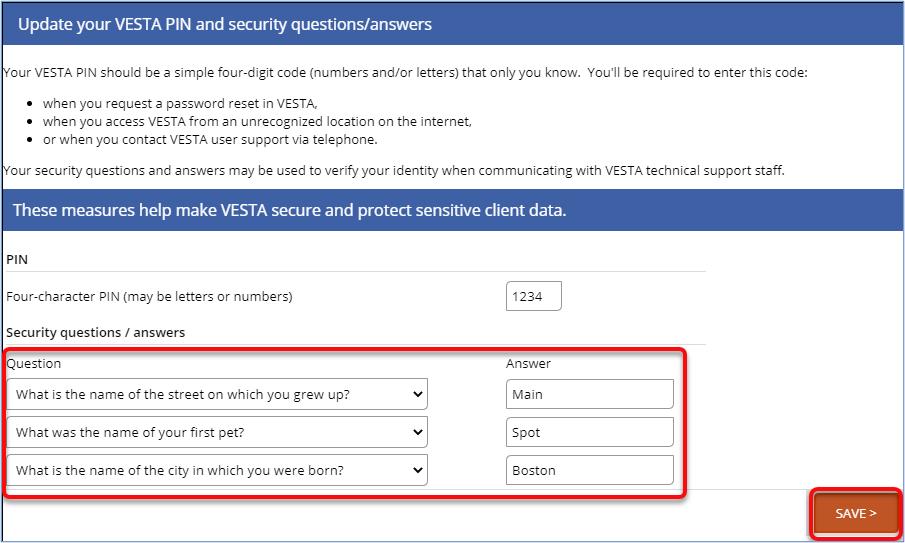
- Enter a new PIN. PINs must be four characters and may include letters and/or numbers. After you enter your PIN, click SAVE.
I would like to change the security questions asked or their answers.
- Log-in to VESTA.
- Click on the Help & More tab at the top of the screen.
- In the center of the page, find the section named Your VESTA Account and click >UPDATE YOUR PIN and SECURITY QUESTIONS.
- Select three different Security questions followed by each question’s answer and then click SAVE.