Housing Move-In Date – Description
Housing Move-In Date is the date that your client actually moved into housing. Only enter in the Housing
Move-In Date one time. If the client changes units, do not change the Housing Move-In date.
Move-in At Intake
If the client moves into a bed or unit on their Project Start Date, use the Housing Move-in Date field under Intake Details.
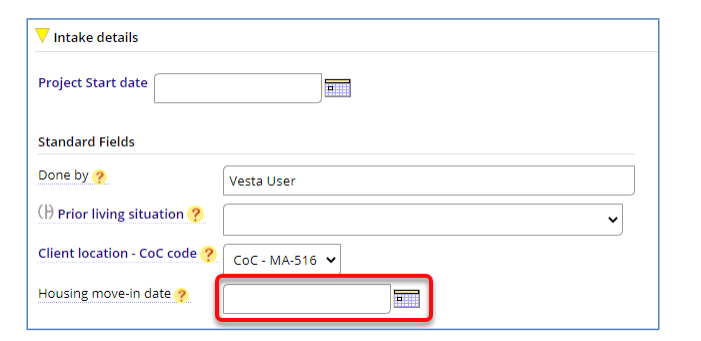
Move-in After Intake
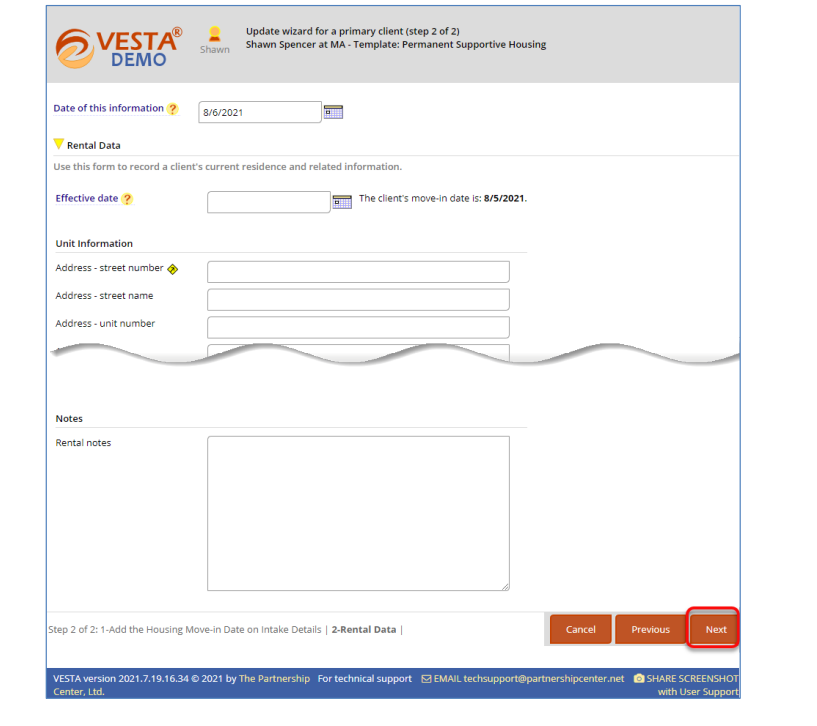
If the client moves into a bed or unit after their Project Start Date, record the Housing Move-In Date on the Rental Data form.
1. Go to the record for the primary client (head of the household).
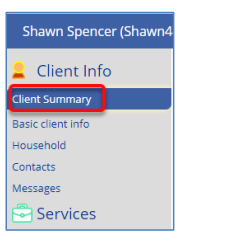
2. Click on the Client Summary tab on the left side of the screen.
3. Click ADD the housing move-in date and Rental Data form in the Alerts widget to launch a wizard.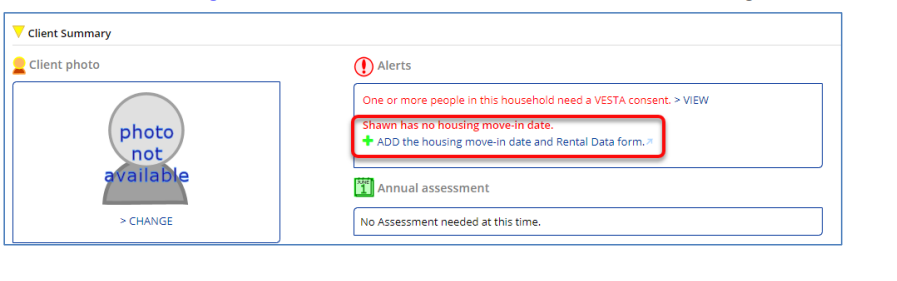
4. Enter the Housing Move-In Date, and then click Next.
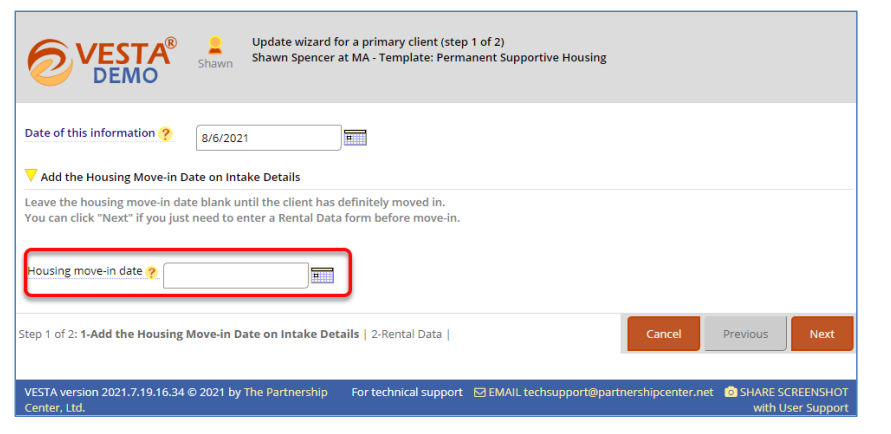
5. Complete the Rental Data form, and then click Next
From 3.20 Housing Move-In Date Guidance: In the event that the client
vacates a housing situation and the project stops paying rental assistance, staff
should exit the client from the project with an accurate Project Exit
Date and Destination and create a new Project Start Date in a second
enrollment for the client on the same or following day. The project would
continue working with the client until a new unit is found, at which point a new
housing move-in date would be recorded on the second project record. This will
ensure that the client’s history of housing is preserved.
• The logic applies to Prevention-type housing as well – though that’s not stated
clearly anywhere in the guidance right now